
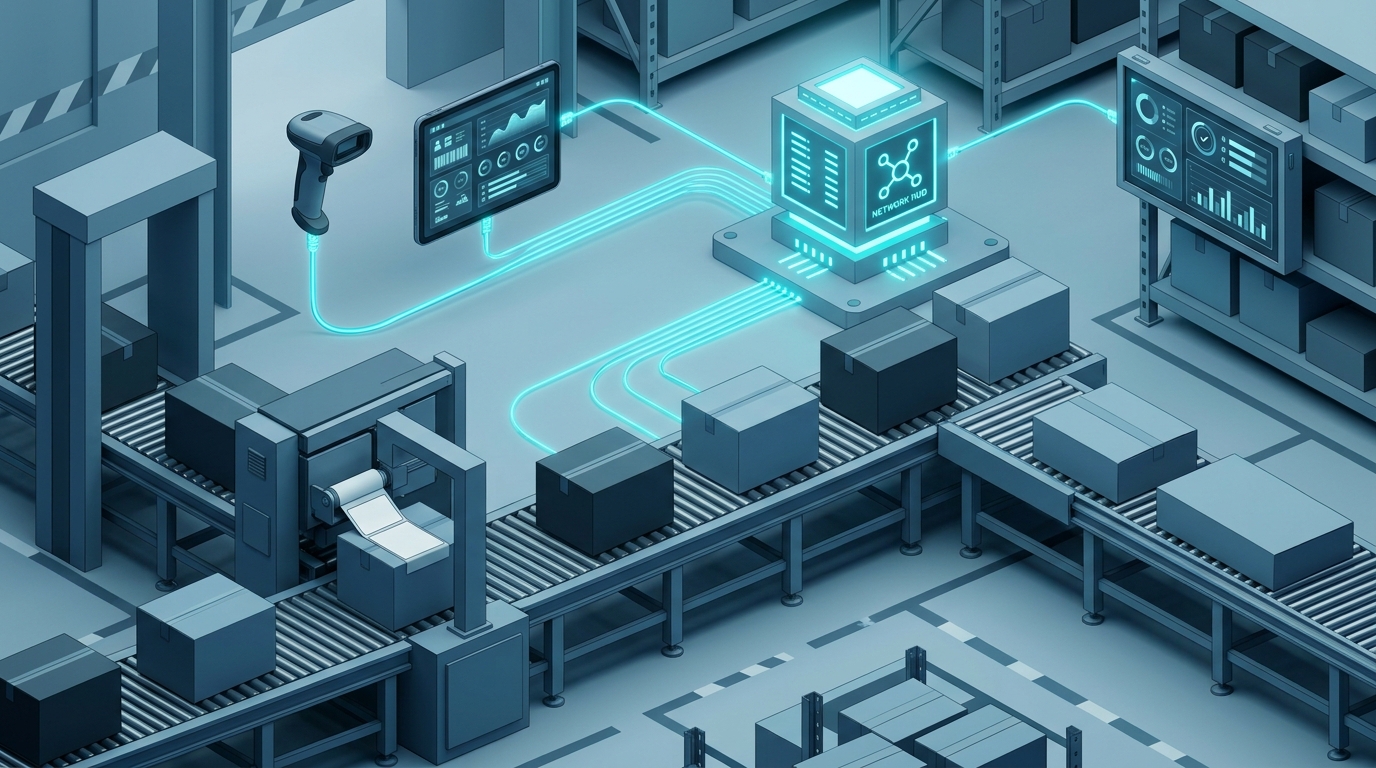
Label Printing Software for Warehouse Packaging Lines
Dana runs the packaging line at a mid-sized distribution center. Every carton that leaves her floor needs a label that a customer, a carrier, or a customs officer can scan without thinking about it. If a label is missing a batch number, or the barcode is smudged, the carton comes back — or worse, it ships and nobody notices until a recall.
Dana doesn’t care about label software as a category. She cares about one question: will this thing keep my line moving and my labels correct? That’s the question this article answers, with a practical playbook for evaluating and running label printing software for warehouse packaging lines — and with the Next Generation Label Printing System (LPSNG) as a concrete example of how the pieces fit together.
Meet Dana: The Packaging Line Lead Who Needs Labels That Just Work
Dana’s day looks like this:
- Three thermal printers at different packing stations, one laser printer in the office, and a handful of electronic shelf labels (ESLs) on the pick face.
- SKUs that change weekly, plus seasonal promotions that add new label fields.
- A shipping requirement that every carton carries batch, production date, and destination data in a scannable form.
- A team of operators who are fast with a scanner and slow with a settings menu.
- An ERP that already knows the order data — and nobody with spare time to hand-key it.
The failure mode Dana fears isn’t downtime. It’s a silent error: a label that looks fine but carries the wrong batch, or a barcode printed slightly too small to scan on the customer’s aging handheld.
So the real question is: what should label printing software for warehouse packaging lines actually do? Short version: it should hold one definition of a label, pull data from wherever the truth lives, and print it reliably onto whichever device is in front of the operator.
Why Packaging Lines Need Purpose-Built Label Printing Software
Traceability is a labeling problem before it’s a database problem. International shipping and recall handling depend on labels carrying accurate batch, date, and destination data. If that data is retyped per station, it will eventually diverge.
Packaging lines are multi-device by nature. Thermal printers, laser printers, and electronic shelf labels all coexist on the same floor. They need consistent data, not three separate pipelines maintained by three different people.
Manual creation does not scale. Ad-hoc label files passed around on a USB stick work fine for one printer and one SKU. Add a second shift and they break.
Two audiences, one system. Developers want an API and a scriptable field model. Operators want a button that prints the right label. Software that only serves one of those groups gets worked around — usually with a spreadsheet nobody else can read.
LPSNG addresses this shape of problem by treating web UI, label studio, job queue, PDF generation, and a web service interface as core functionality present in all editions. Not add-ons you get to discover later.
A Practical Playbook for Choosing and Using Label Printing Software
Step 1: Map your packaging line workflow
Before comparing tools, write down where labels are actually created. Typical triggers:
- Order fulfillment — pick ticket and carton content label
- Packing station — carton label with batch and destination
- Shipping — carrier label and pallet label
- Shelf edge — electronic shelf label updates
For each trigger, note the fields required and who or what fires the print. A flow sketch is enough:
ERP order -> packing station scan -> carton label (batch, date, ship-to)
                                  -> ESL update (article, price, unit)
                                  -> pallet label (SSCC-style ID, count)
Step 2: Centralize label design and data
Design the label once, reuse it everywhere. In LPSNG you build layouts in the label studio and keep them in one place, so the carton label printed at station 2 is byte-for-byte the same template as the one printed at station 4 — just with different data.
This is also where you decide barcode symbology. LPSNG supports a range of 1D and 2D barcode formats, so pick based on what your downstream scanners actually read, not on what looked good on screen.
Step 3: Connect your data sources
Don’t retype data that already exists. LPSNG can use Excel files as data files and lookup files, so an ERP export becomes a print source without custom glue code. If your team already lives in Google Sheets, the Google Sheets add-on lets you create label layouts and print labels directly from a sheet.
A lookup file is the quiet workhorse here — it turns a short code on the order into a human-readable destination name on the label:
code,ship_to_name,country
DE01,Muster Handel GmbH,DE
NL02,Van Dijk Distributie,NL
Step 4: Automate printing via the web service API
This is where the line stops depending on someone remembering to click print. The LPSNG web service interface lets you submit print jobs, render single labels as PDF or PNG, and trigger direct printing — all behind a managed OAuth2 flow that connects an external system with a single URL rather than a pile of credentials pasted into config files.
# Illustrative shape of an API-driven print job.
# Check the web service interface docs for exact paths, fields and payloads.
curl -X POST "$LPSNG_API/print" \
  -H "Authorization: Bearer $LPSNG_TOKEN" \
  -H "Content-Type: application/json" \
  -d '{"template": "carton-label", "data": {"order": "4711", "batch": "B-2026-114"}}'
When a field needs logic rather than a straight value, the Python field script API lets a script block attached to a label field read and modify that field’s value before printing — handy for derived dates, serial numbers, or formatting a value the way the printer expects.
# Illustrative field script attached to a label field.
# Runs before printing and can read/modify the field value.
if not value:
    value = lookup_value("default_batch")
value = value.upper()
Both snippets are sketches of the workflow, not a substitute for the interface documentation — the important part is that the platform owns the protocol work, so your integration doesn’t.
Step 5: Extend to ESLs
If your pick face uses electronic shelf labels, don’t build a second data pipeline for them. LPSNG’s ESL solution uses a vendor-neutral JSON file interface (ESLSEND) to update displays, so the same article and price data that drives the paper label can drive the digital tag.
{
  "illustrative": true,
  "note": "Vendor-neutral ESL update payload — see the ESL interface docs for the real schema."
}
For hardware that has no web interface of its own, the ESL binding API is a web service for binding tags to items, which keeps MDE units in the loop without custom middleware.
Step 6: Monitor and iterate
Use the job queue. It tells you what was printed, what is pending, and what failed — which is exactly what you need when a printer jams mid-shift and an operator needs a reprint now. Templates will change as packaging requirements change; a centralized design plus a visible queue is what makes that a five-minute edit instead of a project.
What to Avoid When Implementing Label Printing on Packaging Lines
Avoid hardcoding printer commands. The hard way is writing device-specific command streams by hand — code that breaks the moment a printer model changes or a firmware update shifts the behavior. A managed workflow like LPSNG’s keeps the device layer out of your integration.
Avoid siloed data. Labels should pull from one source of truth, whether that’s your ERP, an Excel export, or a sheet. Two sources of truth means two different batch numbers on the same pallet.
Avoid ignoring barcode quality. Test that your barcodes scan before you print tens of thousands of them — see our checklist on verifying barcode quality before printing labels.
Avoid custom ESL middleware. The vendor-neutral JSON interface exists so you don’t have to write per-brand integrations. If you’re considering a bridge service, check what an electronic shelf label system actually is first.
Avoid locking into a single printer vendor. Choose software that supports multiple printer types and ESL brands, so hardware decisions stay commercial decisions instead of software constraints.
How Next Generation Label Printing System Fits In
LPSNG is a label design and printing platform by RSJ Software GmbH, available as a hosted cloud edition, an embedded edition for single-board computers such as a Raspberry Pi, and an enterprise edition with multi-user, multi-region, and multi-device features. A white label solution exists for printer manufacturers, paper manufacturers, and system integrators.
For packaging lines specifically:
- The web service API handles print job submission, single-label rendering, and direct printing, with OAuth2 authentication for integration.
- The Python field script API modifies field values before printing.
- Order-specific labeling covers customer- and product-specific labels for fulfillment, and the packaging line use case covers traceability and international packaging with multi-device support.
- Integration options include the Google Sheets add-on, the Excel interface, and a reusable sidebar for embedding into other web applications.
There’s also the LPSNG Player — a standalone command-line print engine that takes a package plus data and produces PDF, PNG, JSON, printed output, or ESL updates. That’s useful when you need to render or print somewhere the web UI isn’t.
Real-World Scenario: Dana’s Packaging Line with LPSNG
Back to Dana. Here’s how her floor ends up working:
- Her team designs one carton label template in the label studio: barcode, batch number, destination, and a date field with a Python script that fills in today’s date when the data doesn’t supply one.
- The ERP exports an Excel file every few minutes. LPSNG’s Excel interface pulls it as the data source and populates the labels.
- When an operator closes a carton and scans it, a web service call submits the print job. The job queue routes it to the thermal printer at that station.
- The same article and price data updates the ESLs on the pick face through the ESLSEND JSON interface — no second integration.
- If a printer jams, the operator reprints from the web UI while the queue keeps the record straight. Nothing gets hand-keyed, and nothing gets silently wrong.
Dana stops chasing labels and goes back to running the line.
FAQ
Can I use LPSNG with my existing printers?
LPSNG supports direct printing to thermal printers and can generate PDF or PNG files for other printers. It also supports electronic shelf labels (ESLs) via a vendor-neutral JSON interface. For cloud printing with thermal printers, there is a workaround for Google Cloud Print.
How does LPSNG handle data from multiple sources?
LPSNG can use Excel files as data and lookup files, and offers a Google Sheets add-on for direct printing. The web service API allows you to submit print jobs with data from any system, and the Python field script API lets you modify field values dynamically before printing.
Is there a way to test label printing without a physical printer?
Yes. LPSNG can render single labels as PDF or PNG files through the web service API, so you can preview and verify a label — layout, data, barcode placement — before sending anything to a printer. That’s the cheapest place to catch a bad template.
What are the deployment options for LPSNG?
LPSNG is available as a hosted cloud solution, an embedded edition for single-board computers like the Raspberry Pi, and an enterprise edition with multi-user, multi-region, and multi-device features. There’s also a white label solution for printer manufacturers and system integrators.
Conclusion: Pick Software That Removes Work From the Line
Packaging line labeling fails for boring reasons: data entered twice, templates copied by hand, printer differences handled with if-statements. The fix isn’t a bigger barcode library — it’s centralizing the label definition and the data, then triggering prints through a managed interface that both developers and operators can live with.
Start by mapping where your labels are generated today, then look for a platform that covers web UI, label studio, a job queue, PDF generation, and a web service interface as baseline functionality rather than premium add-ons. That’s the combination that keeps Dana’s line running — and keeps the labels on the cartons correct.
Take your current carton label and try rendering it as a PDF before your next production run. Ten minutes now beats a pallet coming back next week. Read more on the Next Generation Label Printing blog or explore the use cases and interface docs.
Related posts
- How to Verify Barcode Quality Before Printing Labels
- What Is an Electronic Shelf Label System? A Plain-Language Primer
- Automate Label Printing Directly From Google Sheets
