
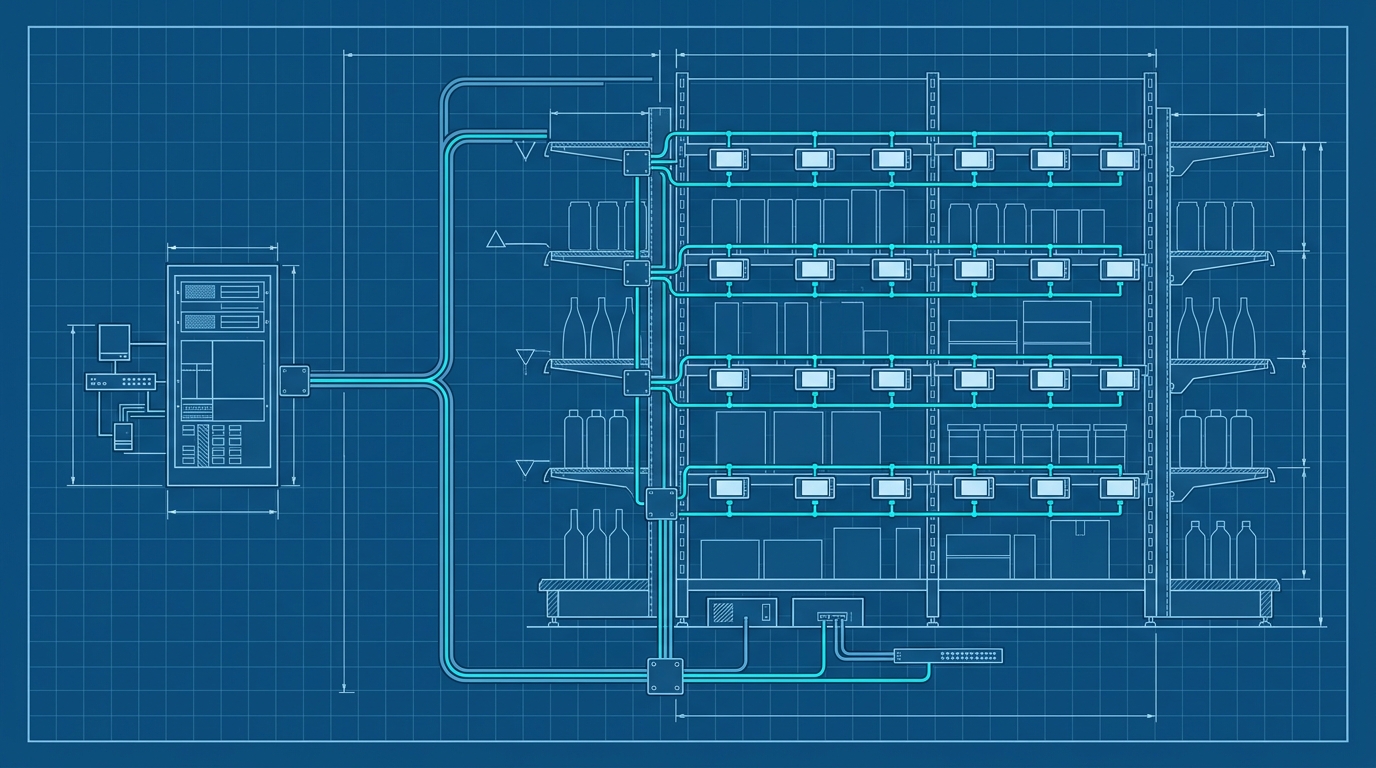
ESL Integration for Retail: A Complete Guide
ESL integration for retail often gets framed as a hardware selection problem. But the durable question is how item data gets from your POS, ERP, or inventory system to thousands of shelf-edge screens without a human walking the aisles with a label gun. This guide explains what ESL integration actually is, how it works, and how a managed label platform can make it practical.
What Is ESL Integration and Why Does It Matter?
Electronic shelf labels, or ESLs, are battery-powered displays mounted at the shelf edge. They replace paper labels and show prices, product information, promotions, or barcodes. Instead of printing and replacing paper every time a price changes, the display updates electronically.
ESL integration is the connection between those displays and the systems that already hold your product data. Common drivers include:
- Price accuracy: The price at the shelf should always match the price at the register.
- Dynamic pricing: Promotions, markdowns, and time-based offers can be pushed to the shelf without manual labor.
- Operational efficiency: Store staff spend less time finding, printing, and replacing paper labels.
- Consistency across locations: A central system can update one store, a region, or the entire chain with the same rules.
The challenge is rarely the display itself. It is the data flow: how a price change in the POS or ERP becomes an update on the correct tag, in the correct store, at the correct time. Integration is about moving product data reliably, not just installing hardware.
The Building Blocks of ESL Integration: A Simple Analogy
Think of ESL integration like a restaurant ordering system.
The kitchen, or backend system, knows that the soup of the day changed. Instead of a cook walking into the dining room to rewrite every menu, the kitchen sends an order ticket to the menu boards. The ticket uses a standard format, so any menu display can understand it. The menu boards update, and the wait staff never touches a chalkboard.
In an ESL deployment, the building blocks are similar:
- ESL tags: The displays at the shelf edge.
- Base stations or gateways: The hardware that communicates with the tags over radio and receives updates from the network.
- Backend systems: POS, inventory, pricing, or ERP software that owns the current product data.
- Integration layer: The mechanism or platform that translates backend changes into update messages the ESL infrastructure can consume.
- Communication protocol: The standardized format or API that carries updates between systems.
The most important design decision is the interface. A vendor-neutral interface decouples the displays from the software that feeds them. If you change display hardware later, the integration logic can stay in place.
How ESL Integration Works Under the Hood
A typical ESL update follows a predictable path:
- A price or product change occurs in the backend system.
- The integration layer receives the change or periodically pulls changes.
- The integration layer formats the update for the ESL system.
- The base station or gateway receives the update and transmits it to the correct tag.
- The tag refreshes and, depending on the system, sends back an acknowledgement.
Common integration methods include direct API calls, file-based interfaces such as JSON, and middleware that sits between the ERP and the ESL network.
For example, a simplified file-based update payload might look like this:
{
  "action": "update",
  "sku": "400123",
  "price": "12.99",
  "display_text": "Organic Oat Milk 1L",
  "valid_from": "2026-08-29T08:00:00Z"
}
Real implementations add authentication, sequence numbers, retries, and acknowledgement handling. The point is that the payload is normalized, not tied to one display manufacturer.
Security matters here because updates can change prices visible to customers. OAuth2 is commonly used to authorize external systems. Some platforms also offer a simplified registration protocol that lets an ESL base station connect with a single URL instead of a complex credential exchange.
Common Misconceptions About ESL Integration
Several assumptions can derail an ESL project before it starts.
“You must use the ESL vendor’s proprietary software.”
Not necessarily. Vendor-neutral interfaces, including JSON-based update files, allow different hardware and software systems to work together. This reduces lock-in and makes it easier to switch displays later.
“Integration requires deep hardware knowledge.”
Modern platforms abstract the radio protocols, tag addressing, and screen rendering. You work with APIs, data mappings, and label designs instead of low-level display commands.
“ESL is only for large retailers.”
Smaller stores and specialty retailers can benefit too, especially when frequent price changes or promotional updates consume staff time. A single store can run a focused pilot without a chain-wide rollout.
“Integration is a one-time project.”
It is an operational system. Product data changes, new stores come online, displays are replaced, and software versions change. Ongoing monitoring and maintenance are part of a healthy ESL deployment.
A Practical Approach: Using a Managed ESL Integration Platform
Next Generation Label Printing System, or RSJ LPSNG, is a label design and printing platform from RSJ Software GmbH that also handles ESL integration. It connects label workflows and ESL updates through one managed interface instead of requiring you to hand-roll vendor-specific commands — a route you could take, but the managed path is far less fragile.
RSJ LPSNG provides a vendor-neutral JSON file interface called ESLSEND for updating ESL displays. This means the same update path can work with different ESL hardware, so the integration is not tied to a single display vendor.
Key capabilities that simplify retail ESL integration include:
- Web service API: Submit print jobs, render single labels as PDF or PNG, direct print, and send ESL updates.
- OAuth2 authentication: External systems, including ESL base stations, can authenticate through a simplified registration protocol with a single URL.
- Python field script API: Attach short Python script blocks to label fields to access and modify field values before printing or update generation.
- ESL Binding API: Bind ESL tags to items through a web service, which is useful for mobile data entry units that do not have a full web interface.
A field script in RSJ LPSNG can adjust values based on business rules. For example:
# A field script attached to an ESL label template in RSJ LPSNG.
# It runs before printing or update generation and can modify field values.
def before_print(field_values):
    promo = field_values.get("promo_active", "0")
    if promo == "1":
        field_values["display_price"] = field_values["promo_price"]
    return field_values
This style of customization lets you handle promotions, currency formatting, or product-specific logic without building a separate integration service.
RSJ LPSNG is available in cloud and embedded editions, which makes it suitable for different retail environments. A central cloud deployment can manage updates across locations, while an embedded edition can run on a single-board computer for local control.
If your product data still lives in spreadsheets, the workflow can start there. See Automate Label Printing from Excel: Save Time and Reduce Errors. For deeper field-level customization, see Python Label Printing: Customize Fields with LPSNG. If you want to validate output before investing in ESL hardware, see How to Test Label Printing Without a Physical Printer.
Best Practices for Seamless ESL Adoption
A successful ESL rollout is more about process than hardware.
- Start with a pilot: Choose one department or a small section of the store. Run real price changes through the integration, observe the results, and measure staff time saved.
- Ensure data accuracy: Clean and consistent product data is essential. The best integration cannot fix duplicate SKUs, missing prices, or inconsistent units of measure.
- Plan for scalability: Choose an integration platform that can grow from one store to many without requiring a rewrite. Multi-store and multi-region features become important later.
- Consider security: Use OAuth2 or a similar authorization model so only trusted systems can send price updates.
- Leverage automation: Schedule routine updates and use triggers from the POS or ERP. The less manual intervention, the fewer pricing errors.
FAQ: ESL Integration for Retail
What is a vendor-neutral ESL interface?
A vendor-neutral ESL interface is a standardized communication protocol or file format that allows different ESL hardware and software systems to work together. For example, RSJ LPSNG uses a JSON file interface (ESLSEND) that can update ESL displays regardless of the hardware manufacturer, reducing vendor lock-in.
Can I integrate ESL with my existing POS system?
Yes, most modern ESL platforms provide APIs or file-based interfaces to connect with POS, inventory, or ERP systems. RSJ LPSNG offers a web service API and OAuth2 authentication, allowing you to submit print jobs and ESL updates directly from your existing systems.
Do I need to write custom code for ESL integration?
Not necessarily. Many platforms, including RSJ LPSNG, offer pre-built connectors and simplified registration protocols. However, if you need custom logic, you can use the Python field script API in LPSNG to modify field values before printing or updating ESLs.
How does OAuth2 work in ESL integration?
OAuth2 is an authorization framework that allows secure access to resources without sharing credentials. In ESL integration, it enables external systems, such as ESL base stations, to authenticate with the label platform using a single URL, ensuring that only authorized devices can send updates.
Conclusion
ESL integration for retail is fundamentally a data-flow problem. The displays, base stations, and backend systems matter, but the integration layer determines whether the project stays maintainable. A vendor-neutral interface and a managed platform remove much of the complexity that turns ESL deployments into long IT projects.
Next Generation Label Printing System provides a practical path: one platform for label design, printing, and ESL updates, with a web service API, OAuth2, and a vendor-neutral JSON interface. If you are evaluating ESL adoption, start with a small pilot, validate data quality, and choose an integration approach that can scale with your store network.
Related posts
- Automate Label Printing from Excel: Save Time and Reduce Errors
- Zebra Designer Alternative: RSJ LPSNG for Cloud Label Design
- Python Label Printing: Customize Fields with LPSNG
