
What Are Electronic Shelf Labels and How Do They Work?
An electronic shelf label system — often shortened to ESL system — is a way to replace traditional paper price tags with small digital displays attached to store shelves. If you have seen shelf labels change from regular prices to promotional prices without an employee walking the floor with a label printer, you have seen the result of an ESL system.
But an ESL system is not just the display on the shelf. A complete system includes the displays, the communication infrastructure that reaches them, and the software that decides what each label should show. That raises the central question: how do these systems work, and what makes them useful for retailers and developers?
RSJ LPSNG, the Next Generation Label Printing System from RSJ Software GmbH, approaches this as a cross-media label management problem: the same platform that designs and prints paper labels can also manage content for electronic shelf labels.
Introduction: The question in plain language
At its core, an electronic shelf label system answers a simple operational question: how can a retailer update thousands of shelf prices without printing and replacing paper tags by hand?
In a traditional shelf-labeling process, a price change happens in a central system, somebody exports a list of labels, prints them, and a store employee walks the floor to replace the old tags. An ESL system moves that last step into software. Each tag is a small e-paper or LCD display that can receive new content over a wireless link. When the central system changes a price, the label changes almost immediately, without physical contact.
This matters for more than just prices. The same mechanism can update product descriptions, legal information, promotions, or stock indicators on the display. From a developer perspective, the interesting part is not the display hardware itself, but the update pipeline: data source to label assignment to display.
Simple explanation with a real-world analogy
A useful analogy is a digital photo frame, but for shelf labels.
A digital photo frame is a screen that shows images pushed to it from a phone or computer. You do not need to open the frame to change the picture; you send a new image over the network. An electronic shelf label works the same way, except the “picture” is a price, product name, barcode, or compliance text, and the device is small enough to mount on a shelf rail.
Each ESL is a low-power display. It receives updates from a central server through wireless communication. A store employee can change prices on hundreds of labels simultaneously from a computer or mobile device instead of replacing hundreds of pieces of paper.
In this analogy, LPSNG is the software layer that generates the label content and sends it to the right displays. It is not just a file converter; it manages which data maps to which label template and which ESL should receive the result.
How it works under the hood
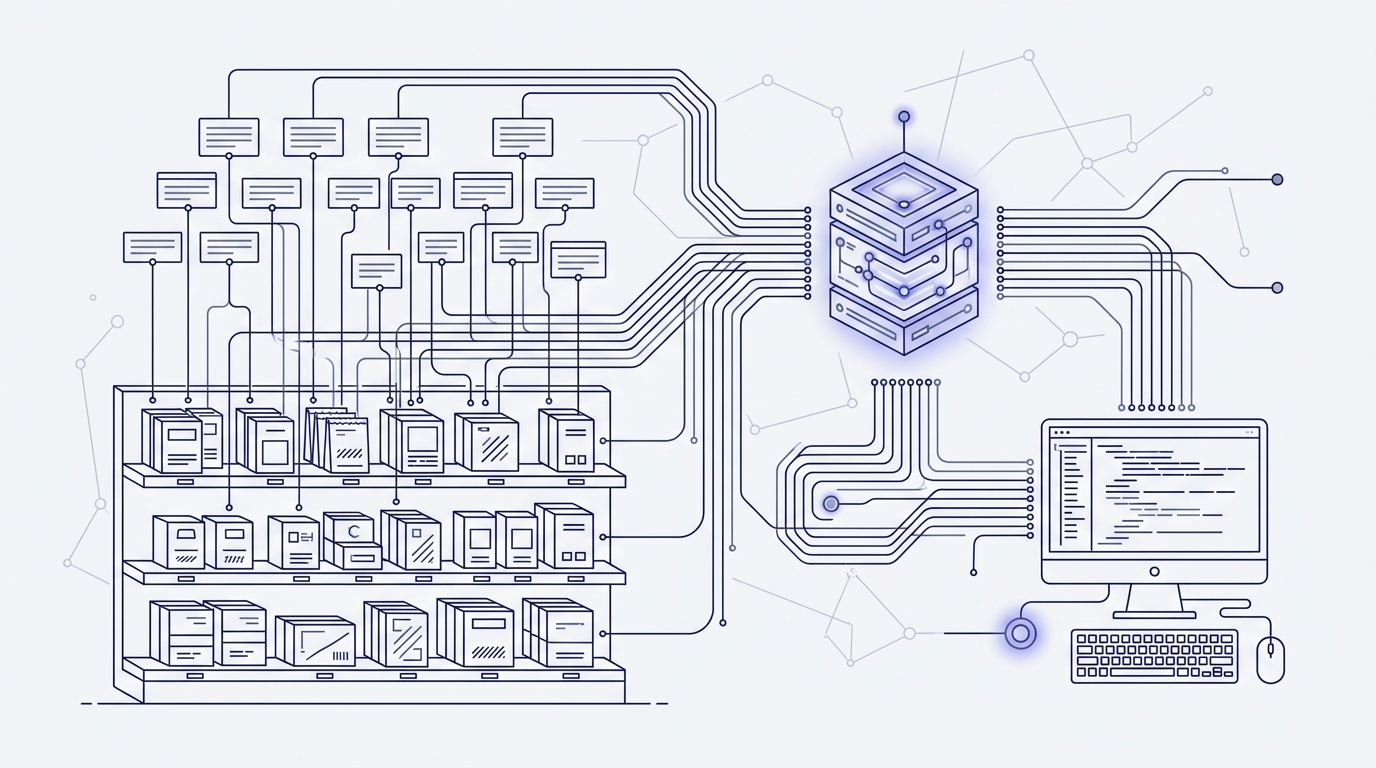
A typical ESL deployment has three basic components:
- ESL tags: the individual e-paper or LCD displays attached to shelves.
- Base stations or gateways: the radio infrastructure that communicates with the tags.
- Management server: the software that stores label templates, item data, and update jobs.
The communication flow is straightforward. The management server sends label content and update instructions to the base stations. The base stations then transmit those updates to the tags. In many systems, the wireless link between base stations and tags is Bluetooth Low Energy (BLE) or a proprietary RF protocol. The exact radio technology is usually an implementation detail hidden from users and from most integrations.
LPSNG documents this boundary clearly. For ESL updates, LPSNG supports a vendor-neutral JSON file interface called ESLSEND, described in the ESL Interface documentation. This interface is a file-based contract: the software produces an ESLSEND file, and the ESL infrastructure consumes it. That separation means LPSNG can work with different ESL hardware without the label template logic being tied to one radio stack.
LPSNG also provides an ESL Binding API. This web service binds ESL tags to items, and is designed for use by mobile data entry units that do not have a full web interface. For shops using CATIC ESL hardware, there are installation instructions for CATIC ESL as well.
Why it matters and common misconceptions
The main benefits of an ESL system are:
- Real-time price updates: changes in the central system reach the shelf without manual replacement.
- Reduced labor costs: employees spend less time walking shelves with paper labels.
- Improved pricing accuracy: the price shown to the customer matches the point-of-sale system more consistently.
- Richer shelf information: ESLs can display promotions, unit prices, stock levels, or other data beyond a static printed label.
One common misconception is that ESLs only make sense for large retail chains. In practice, the systems are scalable. A small store with a few hundred SKUs can use a simple deployment, while a larger multi-region operation can use more advanced multi-user and multi-device features. LPSNG’s cloud and embedded editions reflect this range: the cloud edition is a hosted multi-user service, while the embedded edition puts the system on a single-board computer such as a Raspberry Pi.
Another misconception is that integrating an ESL system requires deep hardware or RF expertise. LPSNG is designed to hide that complexity. External systems can connect through a web service API and a simplified OAuth2 registration protocol. The hard way would be crafting and transporting ESLSEND files by hand, but the normal LPSNG workflow is a managed process in the web UI.
Practical implementation with LPSNG
LPSNG is a label design and printing platform, but its ESL support makes it a cross-media label management system. The same template and data workflow that produces PDF labels can also produce content for electronic shelf labels.
The recommended workflow is managed from the LPSNG web UI:
- Design the label template in the label studio. The template can contain product fields, prices, barcodes, and other content.
- Bring in the data. You can use Google Sheets through the Google Sheets Add-on, Excel files through the Excel Interface, or data files in your own process.
- Map data to the template. LPSNG assigns values to label fields, including fields that will end up on the ESL.
- Publish updates. LPSNG sends the prepared content to the ESL infrastructure through the ESL interface.
A simplified data file for an Excel- or Google Sheets-driven ESL update might look like this:
sku,description,price,esl_tag
1001,Organic coffee beans,12.90,ESL-0001
1002,Green tea 20 bags,4.50,ESL-0002
This is intentionally simple; the real data model depends on the template fields you define. The point is that non-developers can manage the content with tools they already use, while the platform handles the label rendering and ESL update output.
For automated environments, LPSNG also offers the LPSNG Player, a standalone command-line print engine. It takes a package plus data as input and can output PDF, PNG, JSON, print jobs, or ESL data. This is useful when you need label generation inside an existing pipeline without running the full web UI.
Developers who need deeper automation can use the Web Service API to submit print jobs, render single labels as PDF or PNG, and trigger direct printing. The API uses an OAuth2 authentication model, and the OAuth2 registration protocol is designed to connect external systems from a single URL. There is also a Python API for label field scripts, so you can attach Python script blocks to fields to access and modify field values before printing.
For most users, the managed web UI workflow is the right place to start. The API and Player are there when you need to embed label generation into another application or automate at scale. If your main interest is printing from Google Sheets rather than managing shelf displays, see How to Print Labels from Google Sheets with LPSNG.
FAQ
What is an electronic shelf label system?
An electronic shelf label (ESL) system replaces traditional paper price tags with digital displays that can be updated remotely. It typically consists of ESL tags, communication infrastructure such as base stations, and software to manage and send updates.
How do electronic shelf labels communicate?
ESLs communicate wirelessly with a central server through base stations or gateways. Common protocols include Bluetooth Low Energy (BLE) or proprietary RF. The server sends price and information updates, which are then transmitted to the tags.
Can LPSNG update electronic shelf labels?
Yes, LPSNG supports updating ESL displays through a vendor-neutral JSON file interface called ESLSEND. It also provides an ESL Binding API to bind tags to items, and the LPSNG Player can output ESL data.
Do I need to be a developer to use LPSNG for ESL management?
No, LPSNG offers a web UI for designing labels and managing updates, along with integrations like Google Sheets and Excel. Developers can use the Web Service API for more advanced automation.
How long do electronic shelf label batteries last?
This depends on the hardware and how often the display content changes, but e-paper ESL tags are designed to consume very little power because they only draw current during an update. Exact battery life is a hardware specification from the ESL manufacturer.
How fast are ESL updates?
Update speed depends on the infrastructure, the number of tags, and the wireless technology used. The goal of an ESL system is to make shelf-level price changes near-real-time compared with manual label replacement.
Conclusion
Electronic shelf labels turn a manual, paper-based shelf-edge process into a remote, software-driven update. The system combines digital tags, wireless communication infrastructure, and management software so that prices, promotions, and product information can change on the shelf without reprinting anything.
LPSNG fits into that picture as a practical label management layer. It handles traditional label printing and ESL content in one platform, with a web UI for design and data mapping, integrations for Google Sheets and Excel, a command-line Player for pipeline use, and a Web Service API for automation. For developers and end users who want professional-looking labels, it removes most of the hardware-specific complexity.
If you are evaluating ESL technology or need to manage both paper labels and digital shelf displays, start with the Next Generation Label Printing System documentation and see whether the cloud, embedded, or enterprise edition matches your environment.
Related posts
- How to Print Labels from Google Sheets with LPSNG
- LPSNG Pricing: Which Edition Fits Your Needs?
